Only about 18% of teachers have been given any formal guidance on using AI. Here's the simple setup nobody gave you...
(without replacing your judgment, putting student data at risk, or adding another platform to learn)
This works no matter what grade or subject you teach, and even if you've never used AI before (or never gotten a single useful draft out of it)
(and every privacy rule like it, wherever you teach)
Teachers are busier today than they have ever been.
The late evenings that go to tomorrow's lesson plan...
The Sunday that goes to the hard parent email... or to the sub plan you build "just in case."
You're basically working two jobs at the same time.
There's teaching that you actually signed up for...
And then there's all the planning, paperwork and data collection that you didn't sign up for...
... the part that's quietly eating your evenings and private life, and paying you nothing on top of it.
But in spite of all that, you have an opportunity right now no teacher before you ever had...
You can turn the hours the paperwork takes into minutes...
You can get your evenings and your weekends back...
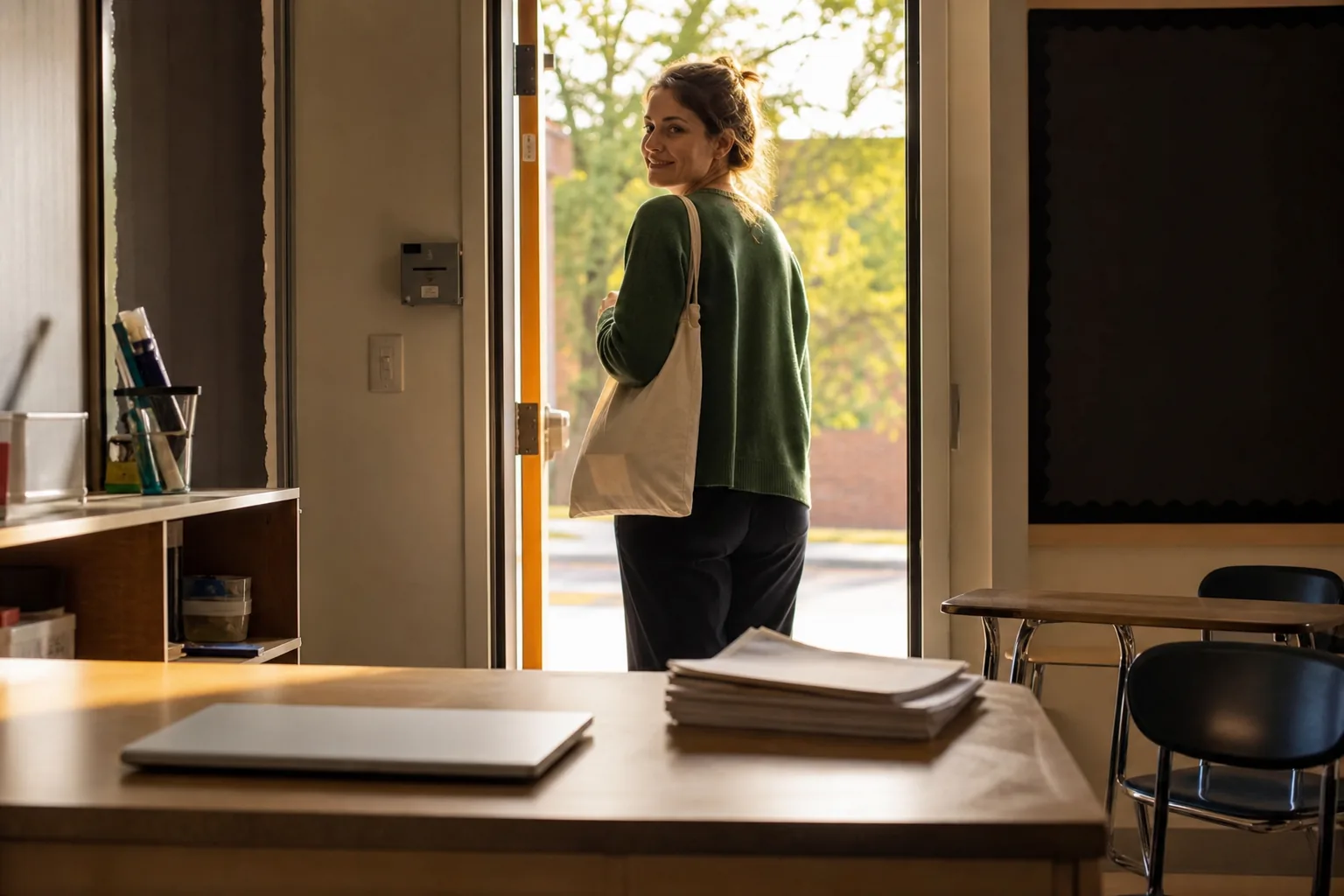
You can close your laptop while you're still at school, and walk out on time, feeling great on the way home knowing all the work is already done.
That's because you can finally turn the AI (whether that's ChatGPT, Claude, or Gemini) from a fancy little toy you have to babysit...
With all the prompting, re-explaining and fixing...
... into a personal teaching assistant that drafts your lesson plans, parent emails, and sub plans in your voice.
So the drafts land in minutes instead of hours...
So the hard email stops keeping you up at night...
And you take back the time the second, unpaid half of the job has been stealing from you.
Best of all...
You don't need any technical knowledge for this.
You don't need any previous experience with AI.
You don't put your students' data at risk.
And it doesn't take days or weeks to set up either (because I know if there's one thing you don't have... it's time).
All you need to know is how to copy and paste text and spare just one afternoon.
Now, before I show you how this is possible, you have to first understand...
Most teachers were handed AI with little to no real guidance on how to use it.
So if you're one of the teachers AI has disappointed... it's not your fault.
Here's what nobody told you about it...
The problem with AI is that it lacks a persistent memory of you, your classroom, and how you write.
Sure, AI does have memory now.
It remembers your name and what you're working on... it might even remember what you did yesterday.
But the moment you get a bit more granular, it starts dropping things.
Ask it what you were doing last Friday, and it has no idea.
Which means if you explained something important to it that day... it's already gone.
When you paste a long, careful prompt where you lay out your whole classroom and exactly what you want...
It works... but only for that one chat.
A few days or weeks later, it's just another line buried in your chat history (and AI never looks at it again).
So the next time you hand it that same task, thinking it already knows the drill, it just defaults back to the "AI way" instead of your way...
And you end up disappointed all over again.
That's because AI's memory of you is shallow and scattered.
Especially on the free versions, where the memory is thinnest.
It keeps your grade but loses how your district wants IEP goals worded.
It half-keeps your voice, then drifts back to that flat, could-be-anyone tone the moment you open a new chat.
And that inconsistent memory is exactly what turns AI's output into the slop you keep rewriting.
Luckily...
ClassBrain is a simple folder setup that gives your AI a persistent memory of you, your classroom, and how you write and work.
Think of it as a real brain for your AI that actually makes it remember your class...
One that your AI reads every single time you use it.
Because it's built around YOUR classroom from day one, it works no matter what grade you teach and no matter what subject.
Unlike prompts and other one-time tricks that make you re-explain your task and whole classroom every time you open AI just to make that ONE draft better...
ClassBrain flips that.
Because every chat starts with the AI already knowing your room.
Which means you never re-explain yourself again...
And your lesson plans, sub plans, and parent emails come back sounding like you wrote them.
Every. Single. Time.
In fact, once you have ClassBrain in place, even the shortest, laziest asks in plain English work wonders.
They produce ready-to-edit drafts that land in minutes.
So the job stops following you home...
Dinner stops happening next to an open laptop...
And your evenings and weekends quietly start belonging to you again.
Once you give AI a persistent memory it can recall every single time you work with it, your day starts looking something like this...
You type "write tomorrow's reading lesson," and it already knows your grade, your 45-minute block, your standard by its code...
Plus your kids by initials and exactly who needs what, your rubric, and the way you like your handouts laid out.
What lands is most of the way there.
Leveled down for the two who need it, pushed harder for the one who's bored, with an exit ticket in the format you always use, written in language that actually sounds like you.
You read it, change a thing or two, and use it.
The laptop closes, it's 6:40pm, and you're done.

And the same thing happens with the rest of it.
The parent email comes out in your voice instead of keeping you up at 11pm choosing words.
The IEP draft lands in your district's language, so you're editing instead of building from nothing.
The sub plan is ready to hand off in minutes even when you're sick... and the leveled reading, the newsletter, the behavior note, and the recommendation letter all start from your room.
You can even ask it, "what did we do right before the unit test?"
And it comes back with something like... "the fractions review, plus the two kids who bombed the exit ticket. Want tomorrow's warm-up to loop back to it?"
That's what a real classroom memory feels like.
And it's how you actually get hours of prep and paperwork off your plate... and your evenings and weekends back.
In national surveys, teachers who use AI every week report saving close to six hours a week, which is most of a workday, every week.
Plus...
The teaching is still on you.
You still read every word before it goes anywhere.
You still shape every lesson around your kids... and nothing lands in a parent's inbox unless you decide it should.
You're still the teacher.
You still do the part you became a teacher for in the first place.
The only thing you hand off is the busywork you never signed up for.
The pile you dread on Sunday nights... the one that's been eating your evenings for years.
That's the part your assistant carries now.
So you might be wondering... what makes ClassBrain so effective at getting the most out of AI?
It's because ClassBrain never lets your AI guess.
Before every single task, your AI reads your classroom first... so every draft starts from your room instead of from a guess.
And the way it pulls that off is absurdly simple...
You create one folder on your own computer, filled with a handful of plain text files.
The exact format AI reads more reliably than anything else you could hand it.
One file holds you: your grade, your schedule, the way your school wants things done.
One holds your students, in initials only, with what each one needs from a lesson.
One holds your standards.
One holds your rules and your formats.
And one holds your voice... the way you actually write, so nothing ever comes back sounding like a robot again.

Then, before every task, the AI opens your folder and reads whichever files that job needs.
Lesson plan? It pulls your grade, your standards, your kids.
Parent email? Your voice file, and the way you deliver hard news.
You never re-explain your classroom again... because it's all just sitting there, in writing, every single time.
And that's your ClassBrain: one ordinary folder your AI reads before every task.
It does indeed sound so simple that you might be thinking right now...
The truth is... yes, you could try.
But the files only pull their weight when the AI knows which one to open first, what each one is called, and how they hand off to each other.
Get that wrong and you've built a folder of nice notes your AI never reads.
More on getting this right in a minute, but before that I want to address one more big elephant in the room...
By setting up your ClassBrain you're not handing anything over to the AI companies.
First, because you never mention your students' real names or records anywhere in it.
Everything is stored in initials and roles rather than real names... so you get help that fits the actual humans in your room without anything identifiable leaving your hands.
And second, the memory folder you create sits on your own computer.
Which means the AI isn't keeping your classroom or your students' data anywhere.
Think of it like the folder you leave for a substitute.
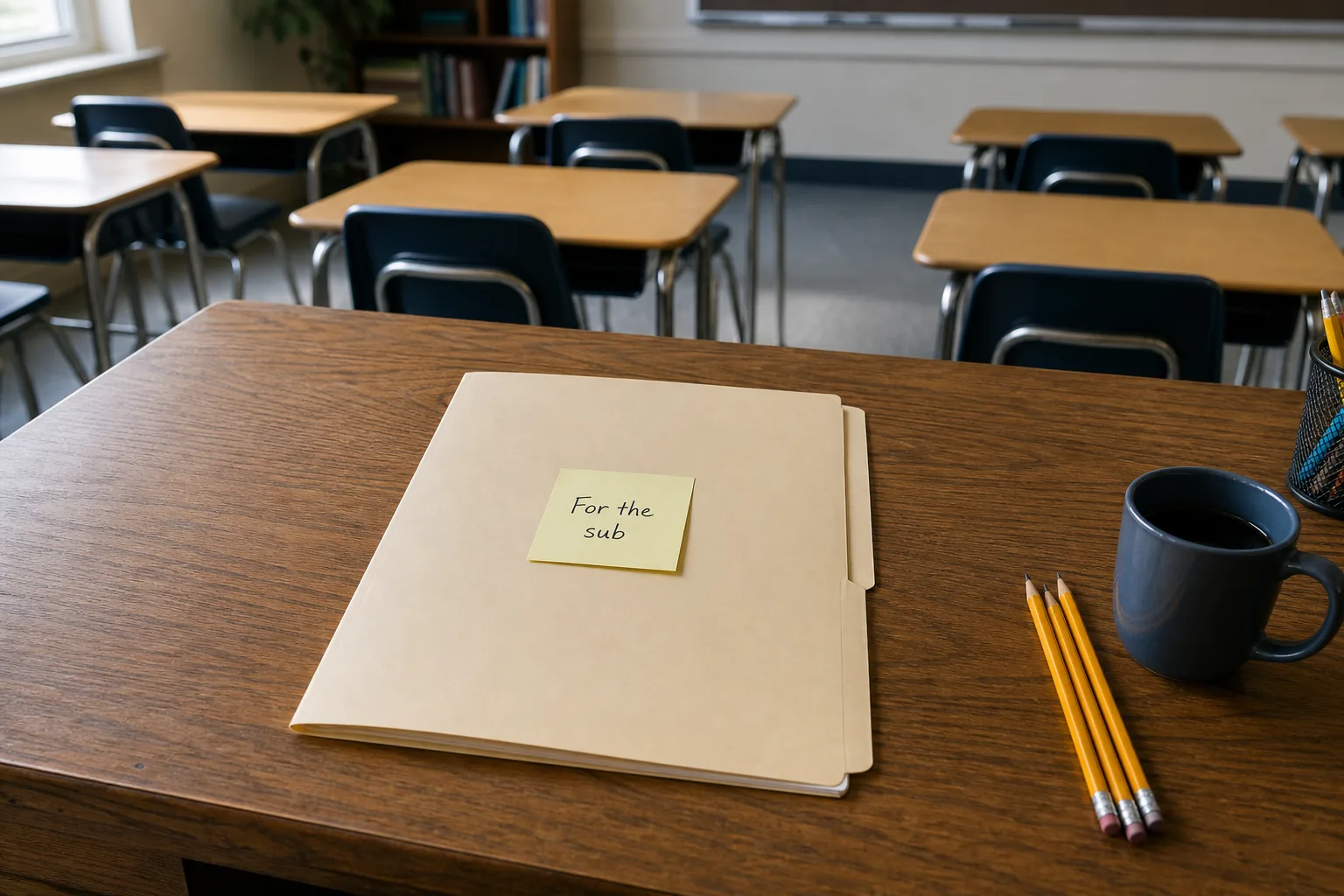
When you're out, you don't expect the sub to read your mind or remember last week.
That's why you leave a folder on your desk that tells them how to run your day.
They walk in, read it, and carry on without calling you every five minutes.
This is the same idea... except the AI reads your folder before every task, and runs the work like it's been in your room all year.
And the best part?
You can switch between AIs whenever you like. That's the beauty of it.
An AI company can change its policy, retire its models, even go bankrupt...
Your school can swap tools or roll out whatever new software they pick next...
Or you just decide to go from one AI to the other because you like one better...
... it doesn't matter, because your folder stays right where it is.
You just move it to the other AI and... voila!
In other words...
ClassBrain is like your grade book.
You wrote it once, it sits on your own computer, and it stays yours forever.
Start with Rhonda, and the job that comes with every day you take off... the sub plans.
A whole day, written out for someone else to teach, on top of everything else that week.
She asked her ClassBrain for a full day of sub plans in one sentence... and it built every piece around what her class is actually working on.
Here's the comment she left under one of our posts:
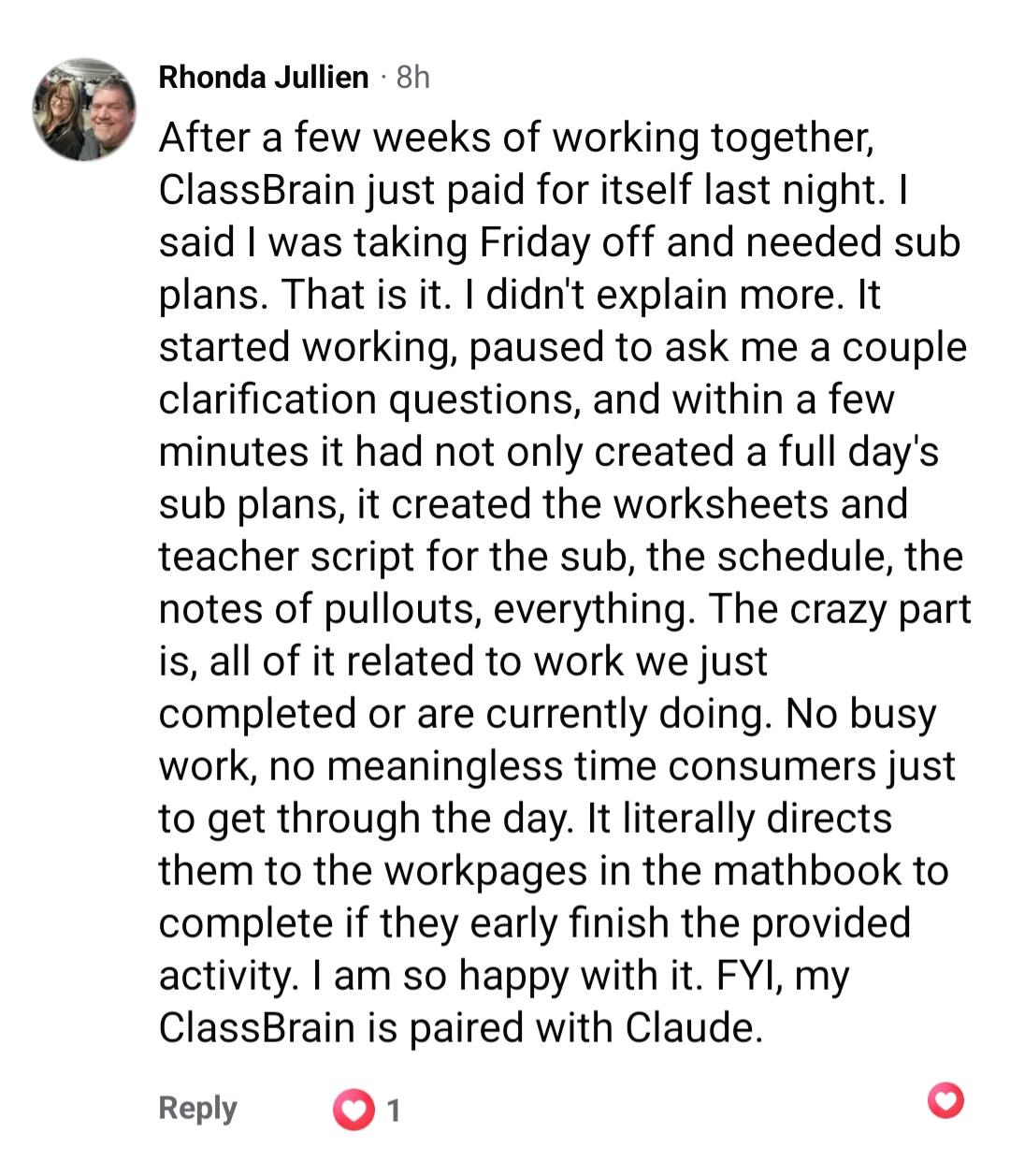
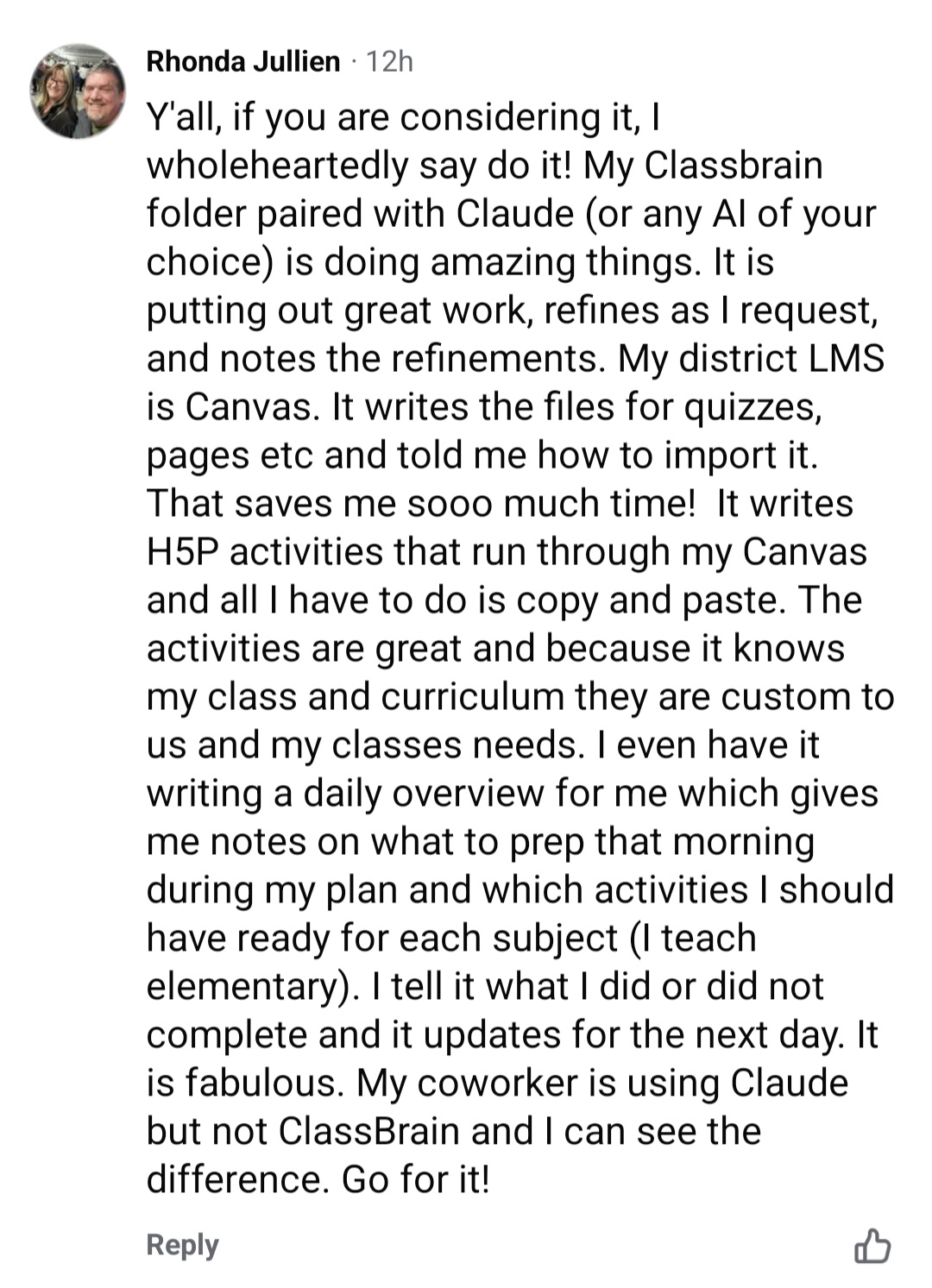
A couple of weeks later, she left this one for the other teachers under one of our posts:
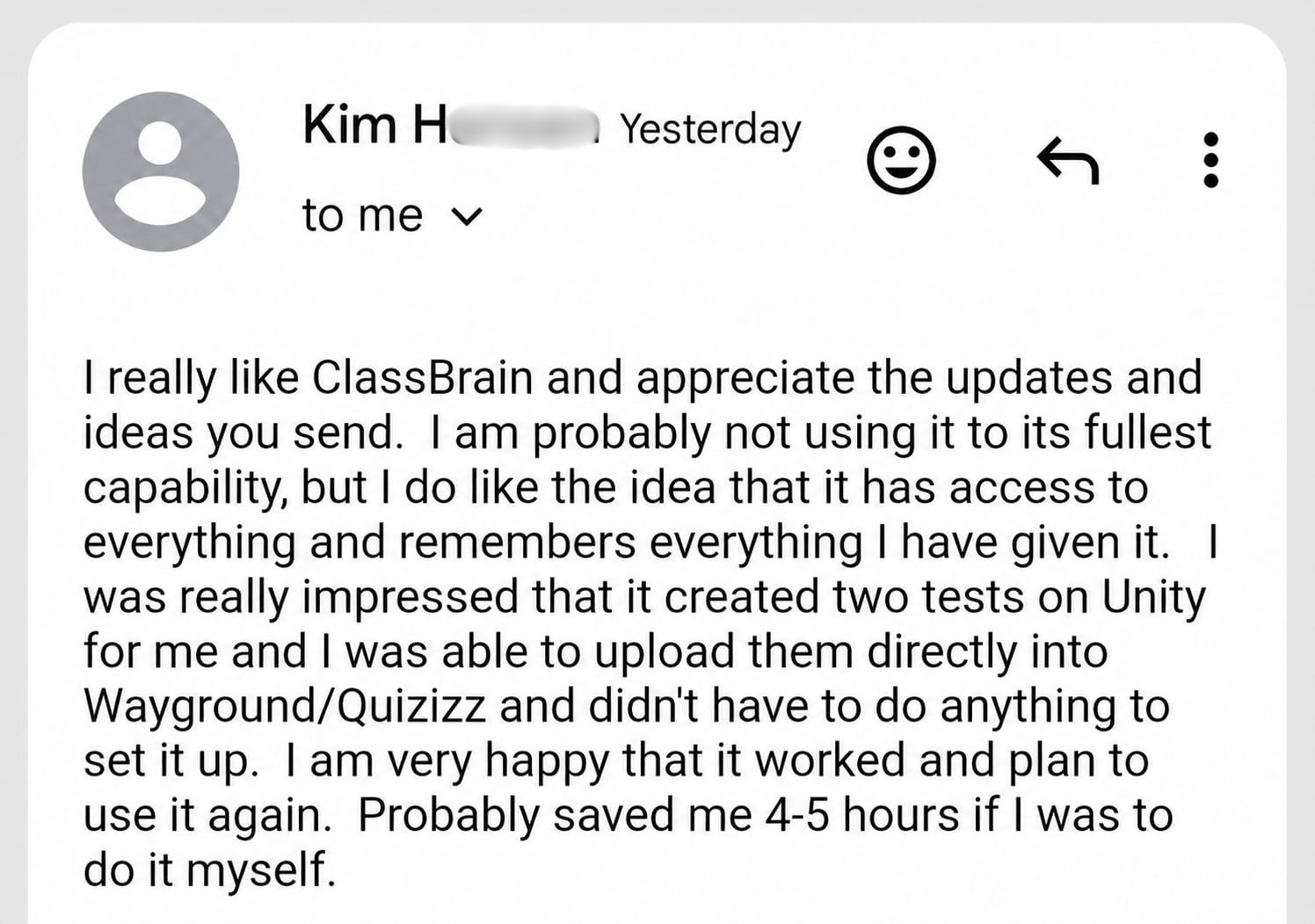
And then there's Kim...
She teaches high school in Vancouver, WA with five preps this year, across three different laptops.
The first job she gave her ClassBrain: updating all five syllabi before school starts.
Here's the email she sent us:

Five syllabi done before the first bell.
But this was just the beginning...
A few weeks later, she sent us the following email, saying ClassBrain just saved her around 4-5 hours of paperwork:
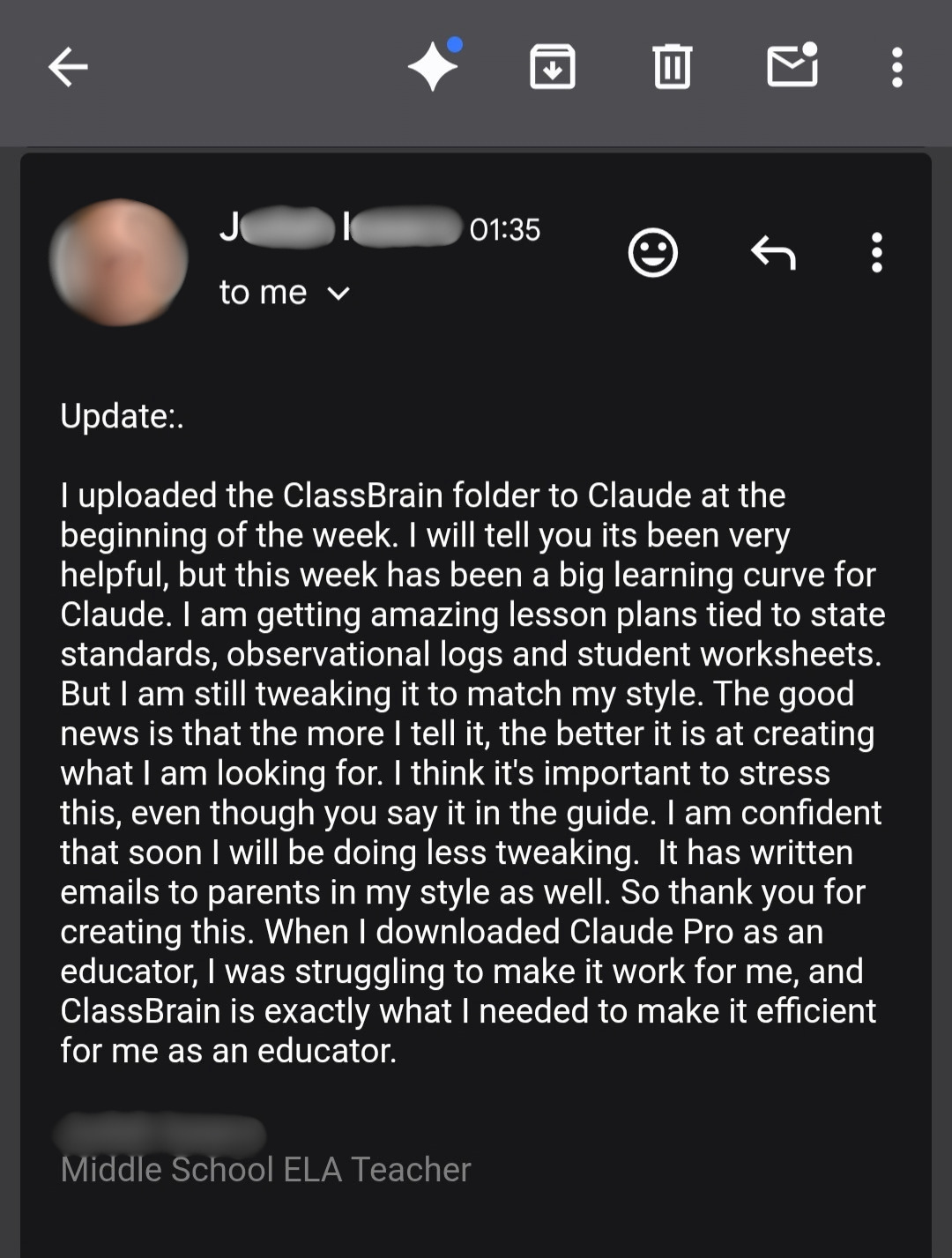
Then there's J.I., who already had Claude Pro for free through the educator program...
So the AI was never his problem. Getting it to actually work for his classroom was.
One week after building his ClassBrain, it writes his lesson plans tied to state standards, his worksheets, even his parent emails... in his style.
Here's the update he sent us:
Donavon was excited about how easy the whole setup was (the part most teachers are nervous about before they start).
Here's what he told us:

And Dawn kept hers short and sweet...
She left this one under one of our posts:

Or take Siobhan, who was a little skeptical before grabbing the ClassBrain guide...
She wasn't sure it would work for her...
But once she dove in, she could see the immense value ClassBrain would have for her work.
In her words, a "gamechanger" that will save her lots of time:

Or Rick, who had already been using AI for a while.
So what could a simple folder really change?
His first few days with ClassBrain answered that:

But getting his evenings back wasn't even the half of it...
What really struck him was something bigger.
For the first time, his AI actually felt like his personal assistant, making his entire day simpler.
He even got to the point where he started telling the other teachers around him about it:

That's a teacher who was already using AI at work...
But once it actually knew his work, he started getting so much more out of it.
So as you can see...
We're at a unique point in time, where you can actually hand off some of the paperwork that's been sitting on your plate (and bugging you) to AI...
... and start getting back the hours it's been stealing from you.
But only if the AI you use actually knows you, your classroom, and how you work.
Then it stops handing you slop (and being one more thing you have to babysit), and starts really helping you make your life easier.
All you need to make that happen is to build your own ClassBrain and connect it to your AI... right now.
Because the longer you use it, the better it gets.
And that's exactly why I put everything you need to build it into one step-by-step guide (made specifically for a teacher's day and a teacher's week)...
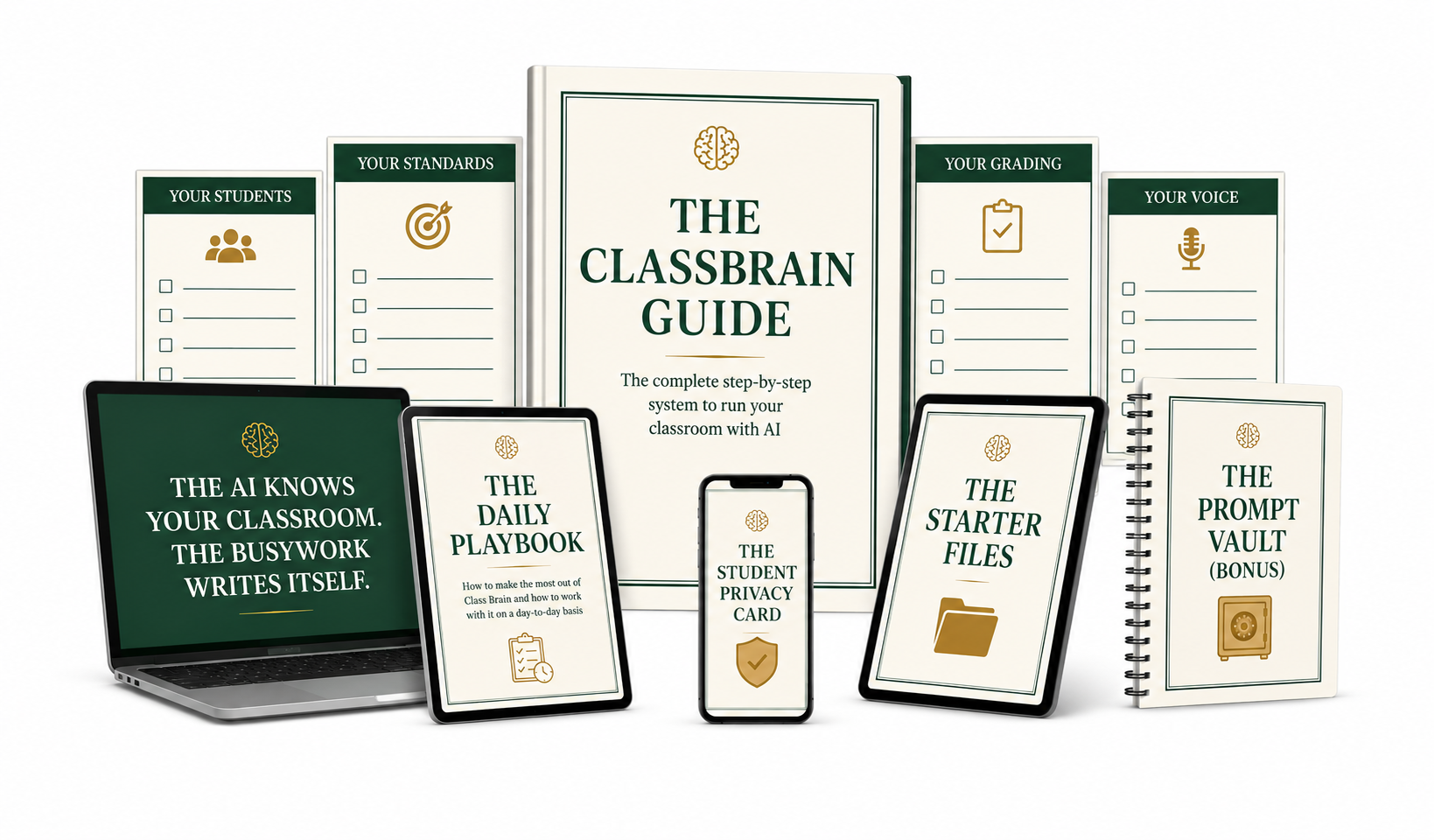
The ClassBrain Guide is the step-by-step that walks you through building your own ClassBrain, piece by piece.
It comes as a PDF, and it's in your inbox a couple of minutes after you grab it.
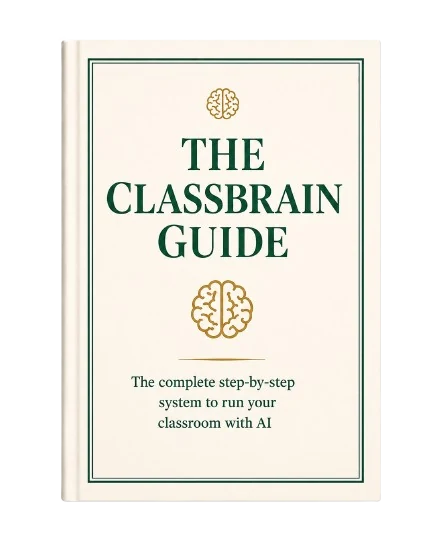
By the end of it, your ClassBrain is sitting on your computer...
One main folder, four folders inside it, about fifteen small files... each one named, ordered, and connected the right way.
And the guide walks you through every one of those files, one at a time, so you always know what comes next.
And just a quick heads-up before we go any further...
You won't find any fancy graphics or pretty design inside the guide. If fancy is what you're looking for, this isn't for you.
What you will find is one thing, done properly: how to give your AI a persistent memory of you, your classroom, how you write, and how you work.
That's because the guide focuses on the ONE thing that makes all the difference... and once the memory is right, everything else follows on its own: the speed, the drafts in your voice, the evenings back.
Six short stages, one afternoon... and you walk out with an AI assistant that actually helps you with your schoolwork every single day and gives you hours back every week.
Before you type a word about your classroom, you get the foundation right. This is the part that makes everything after it just work.
Let me stop on that last one for a second.
If feeding an AI anything about your students has ever given you a knot in your stomach, that test is for you. One question, answered in your head, and you know which side of the line you are on. Every time, in every country.
It is the page I would laminate.
Okay, back to the list...
This is the heart of it. The plain files that hold your whole room, so the AI stops guessing and starts knowing.
A quick warning about that one.
This is exactly where the do-it-yourself attempts die. Creating a few files about your classroom is easy. But the files only work when they are named right, ordered right, and connected right, so the AI knows what to read before every task.
Miss that part and you have a folder of nice notes the AI ignores. The guide gets it right the first time.
So the drafts come back sounding like you, not like a robot you have to babysit.
Short, lazy asks for the jobs that eat your week... every one running on the classroom you built in stage 2.
The exact five jobs to run on day one, so you get a real win before the doubt creeps in.
It is the one tool that gets better the longer you use it.
And because I want you getting real wins out of your ClassBrain from your very first week...
... I'm also adding three bonuses on top of the guide, FREE.
Once your ClassBrain is built, the next question that might pop into your head is...
How do I use it most efficiently? What do I actually do with it every day?
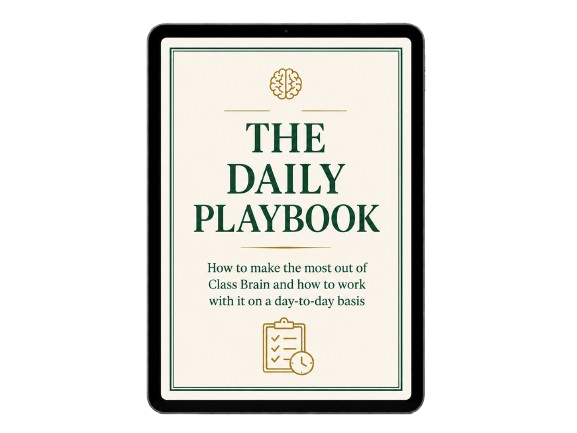
And that's exactly what the Daily Playbook is for.
Inside, you'll see what running your ClassBrain actually looks like, from Monday morning to Friday afternoon.
You'll learn how to start every session, how to end it, and everything in between.
There are 13 pages altogether, and here's what you'll find on them:
By now you know you don't need detailed, professional prompts to get great drafts out of ClassBrain...
Once it's set up, you just ask for what you need in plain English, and your AI takes it from there.
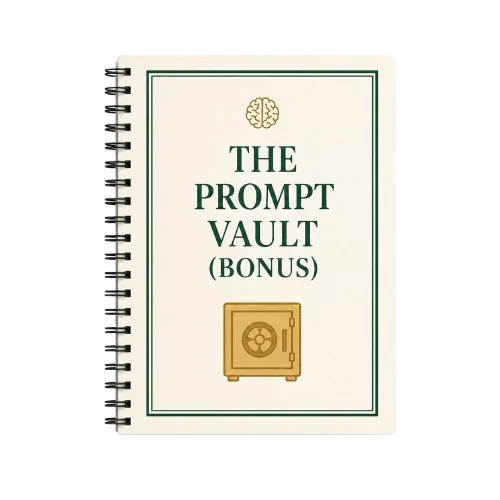
That being said, I still wanted to give you 35+ prompts for the busiest jobs in your week.
So on the days you don't even feel like spelling out the task, you just find the right one, swap a bracket or two, paste it in, and your ClassBrain does the rest.
These aren't 3-page monsters you spend 15 minutes filling in before you get anything back.
Each one is a few sentences long, short and to the point.
Inside these 22 pages you'll find:
And because they run on top of your ClassBrain, every one of them comes back sounding like you, fitted to your room.
The guide sets up your privacy once, on the day you build your ClassBrain.
But then comes every day you use it after that.
Every time you open a new chat and start talking to your AI, the "wait... can I paste this?" moment can show up.
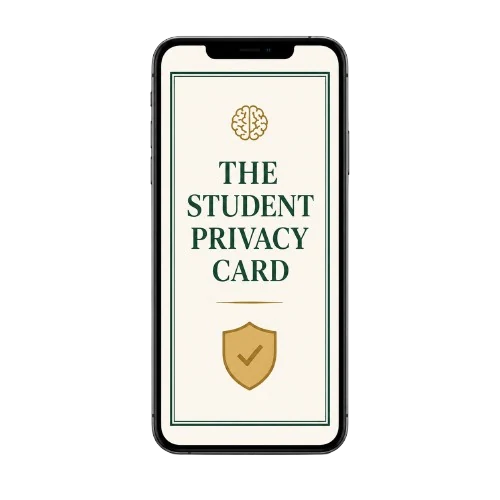
And that's exactly what this Privacy Card is for.
It's only one page (designed so you can skim it in literally a minute or two, every time you want to make sure you're on the right side of the privacy rules).
And it shows you exactly what to share with an AI and what to keep out, written in plain English for teachers in the US, UK, Canada, Australia, and New Zealand.
On that one page, you'll find:
This is the card that lets you use everything above without a knot in your stomach. Keep it next to your laptop, and the line is always clear.
And on top of all that, if you get stuck anywhere along the way, you also get free email support until your ClassBrain is up and running (more on that later).
Kindergarten through 12th grade. Math, ELA, science, history, languages, art, music, PE, all of it.
General ed, special ed, ELL, gifted, intervention. Self-contained elementary rooms and six-period secondary schedules. Public, private, charter.
First-year teachers still building everything, and 24-year veterans with a system that lives in their head.
Teachers in the US, the UK, Canada, New Zealand, and Australia, with the standards, privacy rules, and vocabulary for each.
If you can describe your own classroom, it learns your room, whatever your room is.
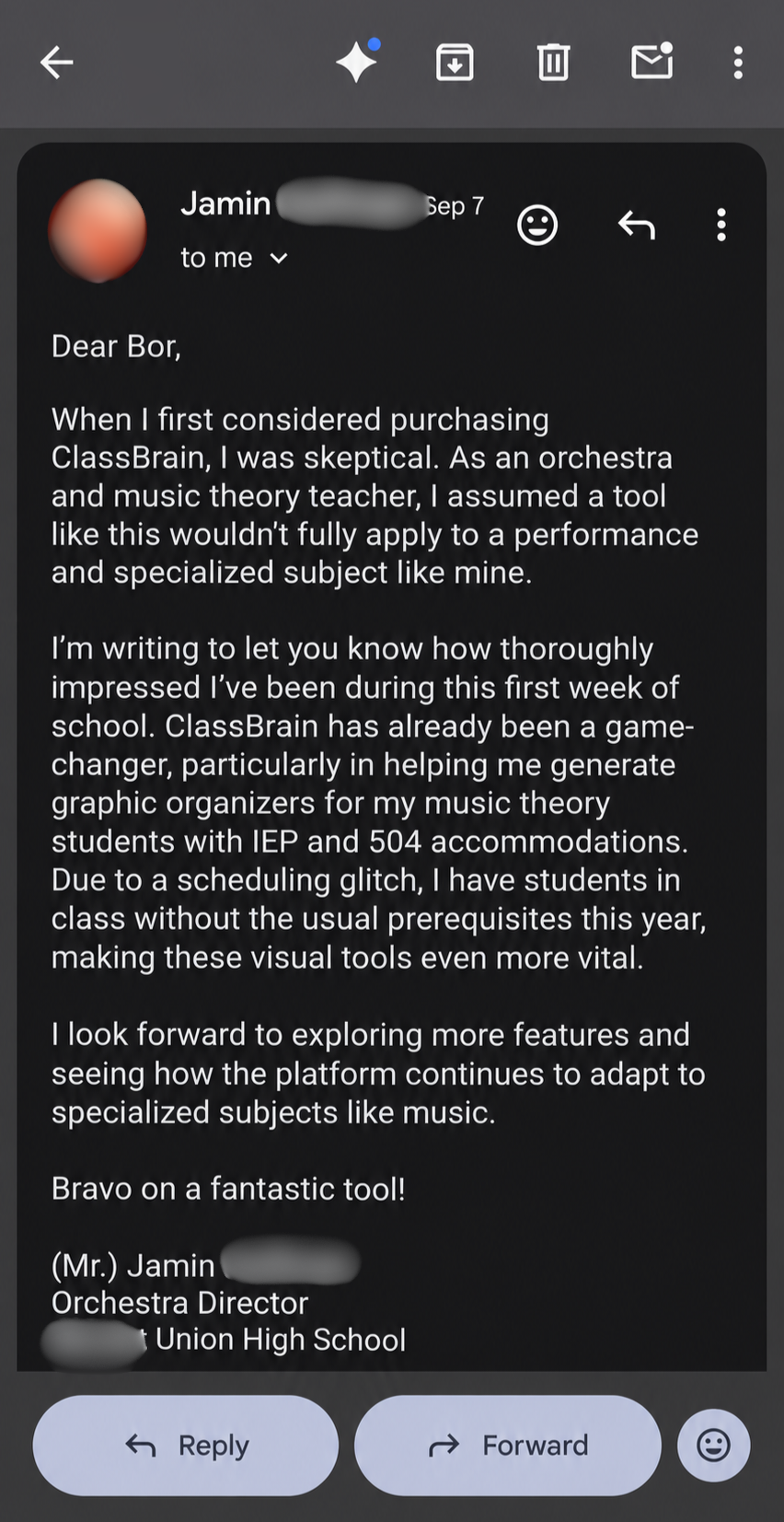
Here's proof from Jamin, who teaches orchestra and music theory.
Before he grabbed his guide, he was skeptical a tool like this would work for a subject like his.
One week into the school year, he sent us this email:
Well, if you tried to dig this information up yourself... you'd spend hundreds, if not thousands, of dollars figuring it out.
I'm not exaggerating.
I spent $4,000 on an AI mastermind to learn what I'm revealing to you, step by step, in the ClassBrain Guide.
Yup, you read that right.
And in my opinion it was worth every penny, based on how much time it saves me every single day and how capable my AI has become.
Now of course, I don't expect you to pay that much for the guide.
Not even close.
In fact, you don't need to pay $1,000...
Not $500...
And not even $100.
Although it would be well worth it, considering how many hours you could get back every single week.
Just imagine the life you could get back... what would that mean to you?
Hold that picture in your head for a second, and consider...
Would you be willing to spend $47 on a guide that lets you do exactly that? That shrinks the after-hours work that eats your life every week?
If yes, then I have some good news for you...
Right here, right now, your investment in the ClassBrain Guide is not even $47...
But just $37.
All of my friends told me I'm nuts for giving this away at such a low price xD
But I just really wanted to make this a no-brainer for as many teachers as possible because I truly believe you don't deserve to spend your free time on paperwork.
And because of that...
Because of the fact that you've read this far and paid attention all the way to this point...
This tells me you're seriously considering finally turning AI into an assistant that does the tedious part of your work for you.
I'm actually going to go one step further ;)
You see, I really don't want the price to be the reason some teachers never dive into this...
So right here, right now on this page, I'm knocking another $10 off...
Which brings your final investment for the ClassBrain Guide down to...
... just $27.
Yes. You read that right.
Just $27 for the guide, alongside all 3 bonuses.
How long will this last?
I don't know, to be honest...
Maybe forever.
Or maybe I change my mind in a couple of weeks, raise the price... and still make this a steal of a deal.
If you're ready to take that next step, click the button below and get your evenings and weekends back...
The reason is actually very simple.
Everyone in the AI world seems to be busy helping businesses, coders, and every other kind of professional get the most out of it.
Companies pay consultants to set it up for them, and developers get tools built just for them.
But I haven't seen anybody bring a setup like ClassBrain to the people who need it the most...
Teachers.
Everybody sees the lesson and the teaching.
But nobody sees everything that comes attached to it (the data, the documentation, the meetings, the emails, and the paperwork that never seems to end).
Teachers talk about making dinner while they plan tomorrow's lesson in their head.
About remembering the email they forgot to send in the middle of a TV show.
About lying awake thinking about the student who hasn't turned anything in for two weeks.
And about Sunday afternoons, when part of their brain is already back in the building.
Somehow, all of it is supposed to fit into the evenings and weekends that should be yours.
That never sat right with me.
Because you're the ones shaping the next generation, while they're still figuring out who they're going to be.
It's one of the most important jobs there is... and one of the least recognized.
So when I saw what this setup can do, I wanted to give something back to the people doing that job.
And keeping the price this low is my way of doing it.
Besides...

You see, once you have your ClassBrain set up, it just works (100% of the time).
It just can't "not work for you".
So here's the deal:
Use the guide for 30 days.
Follow it, build your ClassBrain, and run your real lesson plans, parent emails, and sub plans through it.
And if anything gets in the way of your setup, I'll help you build your ClassBrain for FREE, until it's up and running and saving you time on your paperwork.
Once your ClassBrain is up and running, I 100% guarantee you'll spend less of your evenings on paperwork and get your first free evening in months.
And if you're less than thrilled with ClassBrain and how it's helping you with your work, just write me a short email at the address in your delivery email, and you'll get every cent back (while keeping the guide, plus all 3 bonuses, anyway).
No questions asked.
So really... the only thing you can lose here is another school year of doing the after-hours paperwork the hard way.
The only thing I can't be held responsible for is all the extra time you'll have once you start using it ;)
So grab the guide today and put it to the test.
See for yourself how easy it is to build your ClassBrain, make it work for your classroom, and turn your AI into a useful assistant.
Feel the peace of mind that comes from knowing you have an assistant right at hand that can generate lesson plans, emails, IEPs, and sub plans in minutes (without having to worry about how you'll fit all of that into one afternoon or evening).
And see what it's like to finally reclaim your evenings and weekends once again.
Instead of spending your evenings and weekends on paperwork, data collection, and all the other bureaucracy that's wasting your time...
... you get to choose what you do with the time you reclaim.
You can spend more of it with your family, with your loved ones, with your kids...
On the things that truly matter to you.
On growing as a teacher, on reading, on researching... on whatever you want.
I believe that by now, you have all the information you need to make a choice.
The choice you make right now reaches a lot further than your lesson plans...
... into your evenings, your weekends, and how much of you is left for the people at home.
The way I see it, you have two options...
Option 1: you keep doing what you're doing now.
You close this page, leave it behind, and go back to the way things are.
It costs nothing, and tonight asks nothing new of you. You know the routine.
But if nothing changes, here's what that routine probably looks like a few months from now...
The lesson plans still spill into your evenings.
The sub plans still get written the night before you're out.
The parent emails still sit there, waiting for you on Sunday.
And whenever you do open AI for help, it's back to explaining your whole class... one chat at a time.
Meanwhile, next year's new initiative is already on its way.
Which means the after-hours work keeps taking your evenings and your Sundays, the way it has for years.
And that's totally okay... if you're okay with that.
But if you're not, there's another route for you...
Option 2: you grab the ClassBrain Guide (with all 3 bonuses) for $27.

Yes, it costs a little money. And yes, the setup takes about an afternoon (done only once).
But it's also the only option that is GUARANTEED to work from day one... that's built specifically for teachers, and that walks you through the whole setup step by step.
All you really have to do is copy, paste, and answer a few questions about your classroom.
And from that one afternoon on, the busywork starts from your classroom instead of a blank page... in your voice, in your formats, with your evenings back.
It's exactly the route 198+ teachers have already taken.
You decide.
If it's option 2, there's just one more thing you should know...
ClassBrain keeps getting better the more you tell it about your classroom, and the longer you use it.
Which means every day you wait is a day of your classroom it never gets to learn from.
In other words...
The sooner you start using ClassBrain, the more it can help you.
That's why it might be smart to grab your copy now, while you're still on this page.
The fact that you've read this far tells me you're serious about getting AI to actually work for you.
And remember... you don't actually risk anything, because all you're doing is basically taking the ClassBrain Guide on a 30-day trial.
All you have to do is click the big white button below... start reading the guide a few minutes from now, and finally make AI help you with your after-hours job...
When you click the button below, you'll land on a secure order page where you will have to enter your details to grab your copy of the ClassBrain Guide.
After that, an email with all your downloads will land in your inbox within a couple of minutes.
Then you just pick an afternoon, open the guide, and start building your ClassBrain.
And once you're up and running with it, you'll get to experience what teachers like Kim, Rick and Rhonda already do.
That quiet feeling of knowing that whatever lands on your plate next... a lesson plan, a parent email, a sub plan for tomorrow... your assistant can have a first draft ready in minutes, and your evening stays yours.
And again... if anything gets in the way of your setup, just reply to that email, and we'll help you get your ClassBrain up and running for FREE.
Now click the button below and let's get your evenings back...
All of it for $37 $27, one time.
Not monthly, not per seat, and not something your school has to approve.
P.S. If you scrolled straight to the bottom, here's the whole thing in a few seconds.
AI keeps giving you slop because its memory of your classroom is shallow and scattered, so it guesses... and you keep correcting it, every single time.
The fix is an absurdly simple folder of plain files on your own computer that gives the AI you already use a persistent memory of your classroom. One you own, that survives any app or model change, and that never touches a student's real name.
The ClassBrain Guide walks you through building it, step by step, in about an afternoon. It's $27 today, one time, with 3 free bonuses, free help with your setup, and 30 days to prove it on your own desk or get every cent back.
You've probably already tried the free prompt lists. So you already know what happens: the wording is nicer, and the output is still generic, because the prompt was never the problem. A prompt is a guess about your classroom, and a well-written guess is still a guess.
ClassBrain is the opposite of a prompt list. It's a one-time build of your classroom's memory, so the AI stops guessing before you type a word. Once it exists, even a lazy two-line prompt comes back fitted to your grade, your kids, your voice. The Prompt Vault is an optional shortcut on top of it, not the product.
No. Your $27 here is the only thing you'll ever pay us. Nothing renews, nothing auto-bills, and we earn nothing from any AI company.
Your ClassBrain runs on the AI you already use, free plans included, and the guide shows you the best setup for each one (a couple of them handle it better on a free account than others, and the guide tells you straight which is which). The paid tiers ($20 a month, paid to them, not us) give you longer sessions and a stronger model. Nice to have, not required.
And here's the part most teachers don't know yet: if you teach K-12 in the US, both Claude and ChatGPT currently give verified educators their paid tier for free. The guide shows you how to claim whichever one you pick. So the honest answer is: most teachers reading this can run the full setup, on the strongest models, without spending another cent beyond the $27.
No. ClassBrain works with the AI you already use (ChatGPT, Claude, or Gemini). You build your folder once, and it plugs into any of them. And if you ever decide to switch, you just move your ClassBrain to the other one and keep working. That's the beauty of it. It's a folder of your own files, so nothing gets rebuilt and nobody locks you in.
A student using AI on an assignment is being graded on whether they can do the skill themselves. You're not being graded on whether you can type a permission slip reminder at 9pm. A student is proving a skill. You're doing a job. Those are different situations, and every profession treats them differently: lawyers have paralegals, doctors have scribes, principals have assistants.
ClassBrain drafts the paperwork side of your job. The teaching, the judgment, and the relationships stay yours, and everything the AI writes comes back to you to read, change, and approve before it goes anywhere. And since it all runs on your own computer, on your own prep work, there's nothing here your school has to approve or install. It's your planner, upgraded.
The guide has you build everything in initials and roles, never real names... so you could hand your entire ClassBrain folder to a stranger and they couldn't identify a single student in it.
And you're not handing anything over to the AI companies either. Your folder sits on your own computer. The AI reads it before a task, and it is not keeping your room or uploading your students anywhere.
The Student Privacy Card lays out exactly where the line is for your country, FERPA included, plus the never-paste list and what to do if you ever slip. Privacy is how this is built, not a disclaimer at the end.
Yes. It works for K through 12 and any subject, because it learns your room, whatever your room is, and it is written for teachers in the US, UK, Australia, Canada, and New Zealand. And it's not just for classroom teachers... coordinators, specialists, and counselors build the same folder around their own job (Siobhan, in the email higher up this page, is one of them, and she wasn't sure it would fit her role until she dove in).
If you can copy, paste, and answer questions about your own classroom, you can do this. You're not writing anything technical: the guide includes a copy-paste build prompt for every single file, so the AI does the typing and you just answer its questions about your room. It's written for someone who has never touched AI in their life, one clear step at a time.
That fear is exactly right, and it's why voice is a whole stage of the setup, not an afterthought. You paste in one or two things you actually wrote and were proud of, a parent email, a newsletter blurb, and the AI learns how you sound. Then the guide has you install a written rules file that bans the robot tells outright: the em dashes, the 'I hope this finds you well,' the phrases no real teacher uses.
And there's a second safety net: nothing goes out without passing through you first. You read every draft with your own ear before anyone else sees it. Between a voice it learned from your writing and a final pass from the person who owns that voice, what reaches parents sounds like you, because most of it is you.
Yes. Your ClassBrain lives on your computer, not the school's. You build it once at home, on a machine you control, and that's where the system runs... the district's computer was never a requirement. And switching between a home computer and a school computer doesn't lock you out either. There's a simple way to reach the same folder from your school computer with nothing installed at all... it works through the free cloud storage you already have, from any browser, and your files stay in sync between both. So a locked-down school machine doesn't keep you out. It just means your setup lives at home, where it belonged anyway.
They're complementary, and if you teach in the US we'd happily see you use both. Claude for Teachers is a free account for verified US K-12 educators... a full year of Claude's paid tier, and a great deal. ClassBrain is the classroom memory you own: plain files in a folder on your computer that make whatever AI you use (that free account included) start every task already knowing your room. Build your ClassBrain inside it and you get the best of both. And when the free year ends, or the program changes, your classroom memory walks out with you... because it never lived inside their app.